When a PWA is the better choice than an app from the App Store

A PWA reaches the phone without an app store
A Progressive Web App, PWA for short, is a website that behaves like an app. It is installed straight from the browser, gets its own icon on the home screen and opens without an address bar. It runs on iPhone and Android from the same codebase. It does not need to be published in the App Store or the Play Store.
Two additions to the website make this possible. A manifest defines the name, icon and colours of the app. A service worker stores the most important files on the device so the app starts quickly and shows the most recently loaded data without a network.
The difference from a native app
| PWA | Native app from the store | |
|---|---|---|
| Publishing | On your own server | Through the App Store and Play Store |
| Approval | None | Review by Apple and Google for every version |
| Store fees | None | Apple 99 dollars a year and Google a one time 25 dollars |
| Commission on digital sales | None | 15 to 30 percent |
| Updates | For all users on the next start | Only after review and an update by the user |
| Codebase | One for all devices and the browser | Usually separate for iPhone and Android |
| Installation | Through a link in a few seconds | Through the store search |
| Bluetooth and NFC on the iPhone | Not possible | Possible |
| Background tasks | Heavily restricted | Possible |
| Found in the store | No | Yes |
The biggest difference lies in maintenance. At Apple every new version of a native app goes through review before it is published. This often takes one to two days and after a rejection the round starts over. Afterwards old versions keep running on many devices because users do not install their updates. With a PWA we deploy the new version to the server and on the next start every user works with the current version. There is only one codebase and only one version in use. This makes every later change considerably cheaper.
This is what an app without the App Store looks like
Empfehlungskette.de is a referral programme through which customers send a ready made message straight from their phone to their contacts. In the dashboard the business sees who recommends and how many new customers result from it. Empfehlungskette is not listed in any app store and can still be installed on the phone like an app.
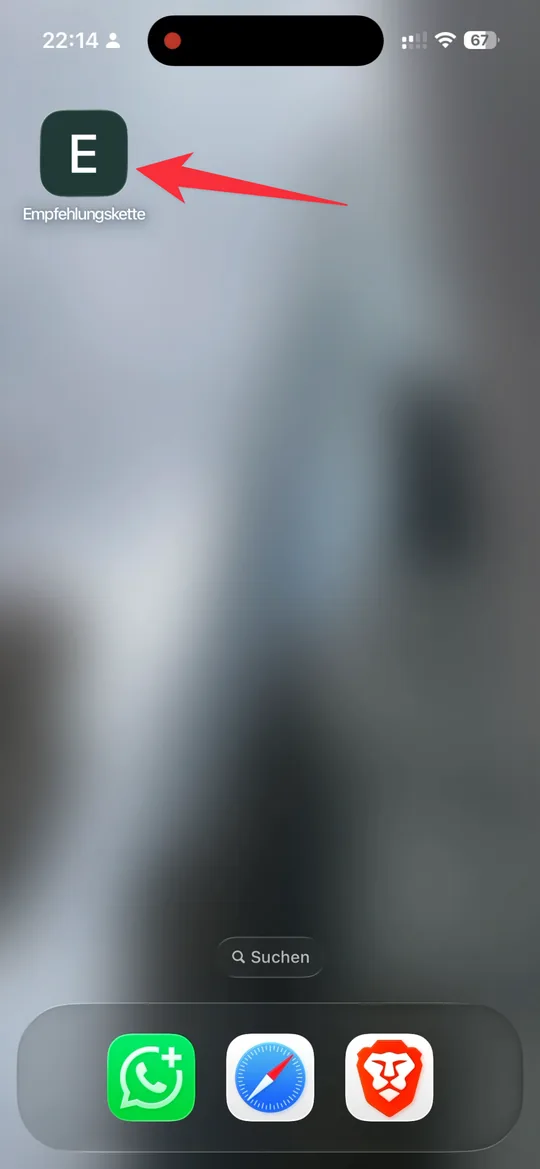
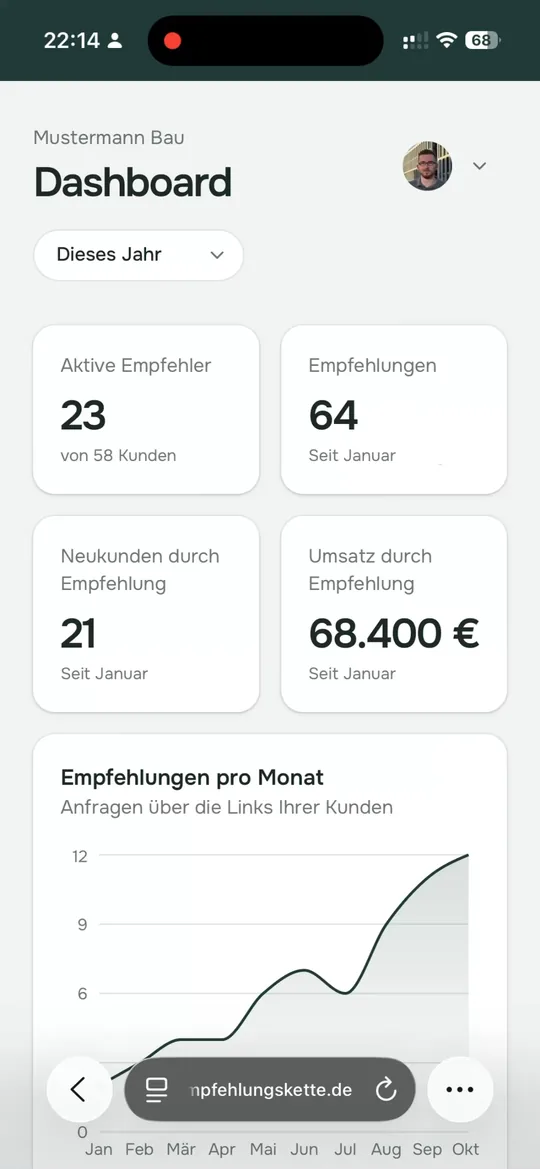
On the iPhone you open the page in Safari and tap Share. In the menu you select "Add to Home Screen". In the next window the switch "Open as Web App" stays on and a tap on "Add" places the icon. On Android Chrome usually shows an install prompt by itself.
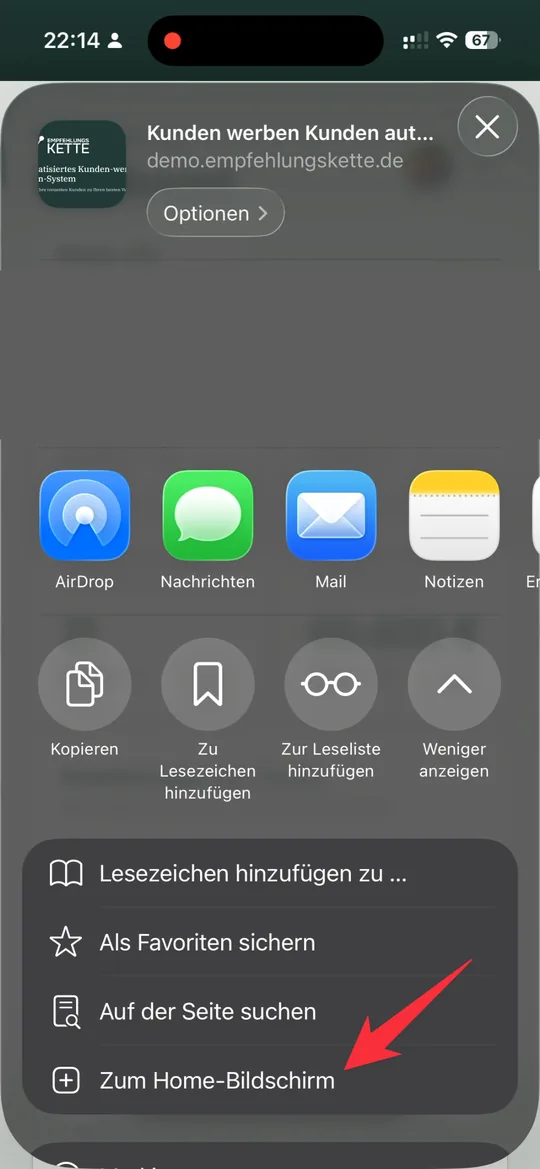
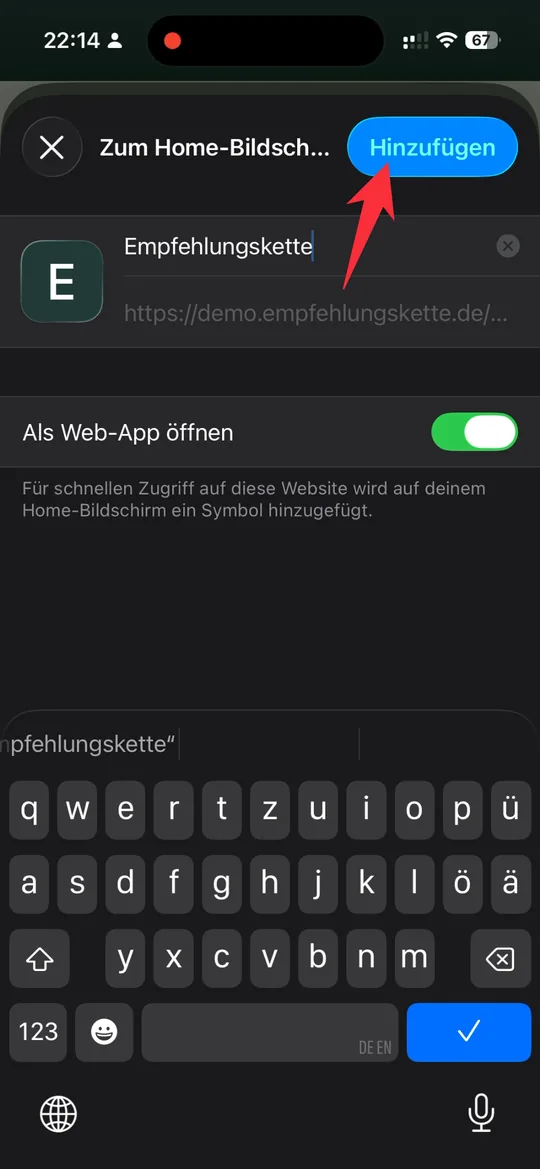
The video shows the complete installation on the iPhone.
Who a PWA is right for
Whether a PWA is the right solution depends on the use case and the target group. It fits well when users reach the app through a link. This applies to customers passing on a recommendation, to a customer portal or to tools for your own staff. What counts there is that the app is on the phone quickly and changes reach everyone at once.
A native app is the better choice when new users are supposed to find the app through the store search. The same applies when it needs Bluetooth or NFC or has to work in the background. On the iPhone Safari also shows no automatic install prompt. Users therefore need to know the way through the Share menu once.
Are you thinking about building an app for your customers or staff? Write to us. We check with you whether a PWA is enough or whether the route through the App Store pays off.
